Through Google Business Profile optimization, you can improve your search engine optimization (SEO) and increase your brand appeal by ranking in one of the top results.
Google Business helps you get more insights into how users find your business, and it allows customers to use Google Maps to find your company.
While your profile can increase customer engagement and trust, it is only effective if you know what you’re doing.
Anyone can set up their Google Business profile, but it can be hard to do this correctly and reap the benefits.
By following the best optimization tips, you can create a good profile for your company and begin enjoying the benefits of having a Google Business profile.
How to Access Your Google Business Profile
Before you can work on your Google Business Profile optimization (formerly known as Google My Business optimization), you have to get full access to your profile.
To get started, you should head over to the Google Business Profile Manager.
Once you have found your profile, you can add and manage all of the information on your listing.
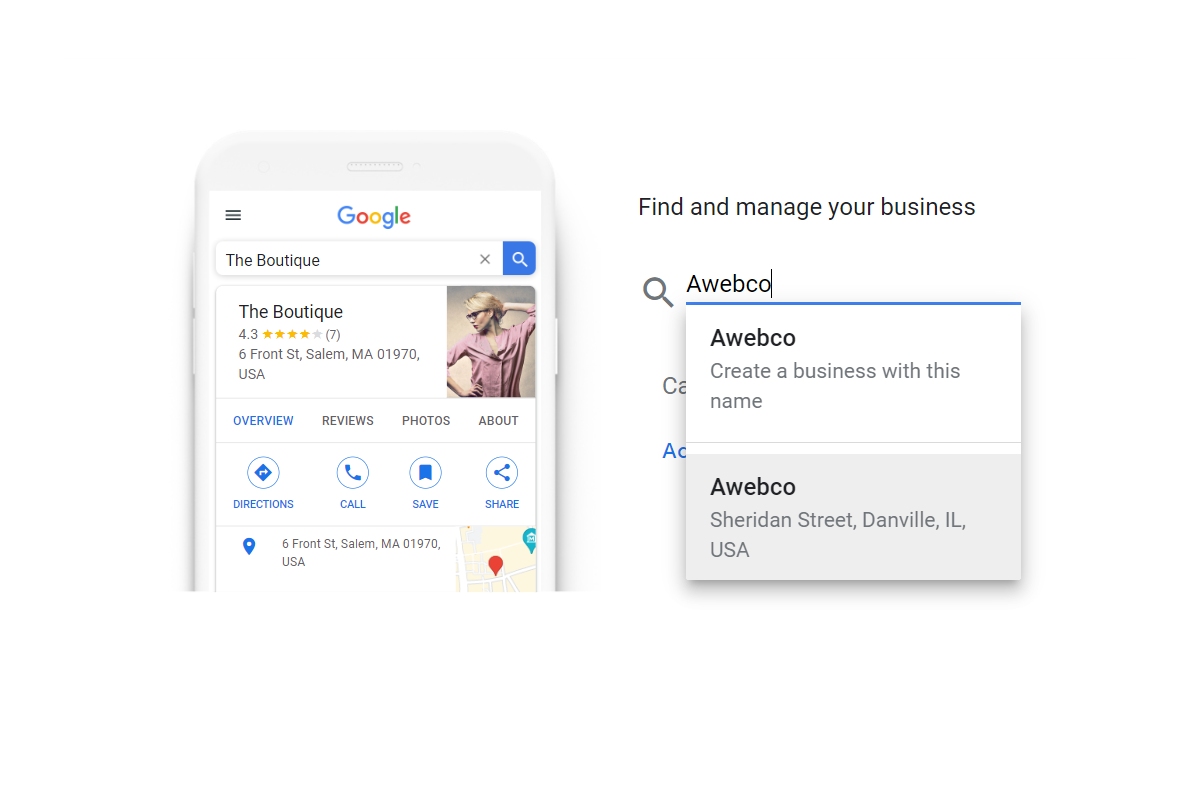
After you have reached the profile manager page, you can enter your business name in the search bar and find your company.
If you want to add your business through Google Maps, you must sign in to Google Maps, enter your address in the search bar, and then click on ‘Add your business’ under the Business Profile on the left.
An alternative option is to right-click on the map you see. Afterward, you can select ‘Add your business’.
If the business is already set up on Google Maps, you can claim it by entering your business name in the search bar. Then, you can click on the business name, select ‘Claim this business’, and choose ‘Manage now’.
10 Optimization Tips for Your Google Business Profile
Once you are able to access your company’s profile, the next step is to work on your Google Business profile optimization.
If you’re trying to improve your web presence, your Google Business profile matters. The following Google Business tips can help you set your business up for success.
Completely fill out your business profile
In many cases, your Google My Business is the first place clients go when they want to learn more about your company.
For clients to learn about your company, you have to fill out your profile. Plus, a completed profile gives clients more options they can take when they reach it.
As an added benefit, a complete profile will lead to a higher ranking and appearing more often in local search results.
If you’re short on time, start by adding your name, phone number, website, address, and business hours.
When you have more time, you can add questions and answers, products and services, from the business, categories and attributes, and similar sections.
Add all service locations
The next step in your Google Business profile optimization is to add all of your service locations.
When your profile is set up, Google will show the exact location of your business when someone searches for it. This is the result clients will use to find it in Google Maps.
If someone searches for your product or service in the same city, they are more likely to find it if your profile is connected to the same area.
Adding all of your service locations boosts your visibility among people searching for your business or products in the same area.
Add photos
When you hire someone to do Google Business profile optimization services, they will often look at images to learn more about the kind of products and services they can expect.
In research studies, businesses with more than 100 photos had 2,717% more direct requests and 520% more calls than businesses with an average number of photos.
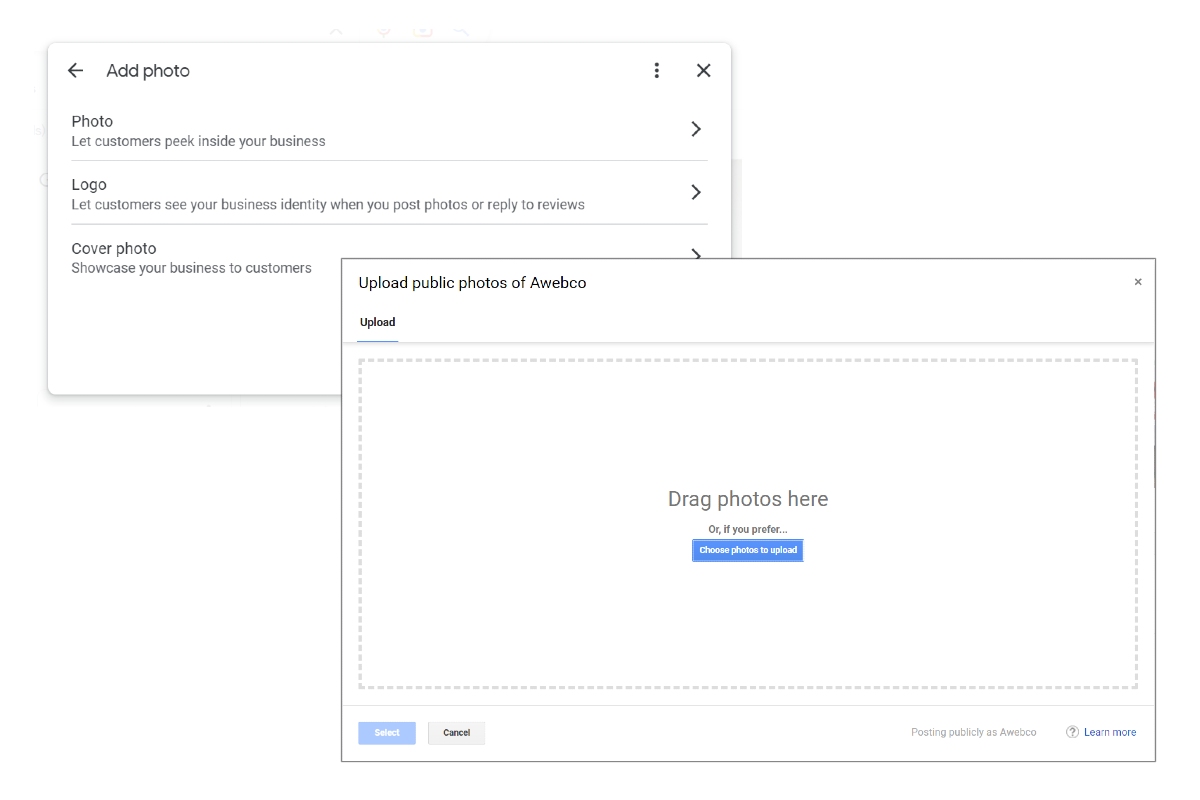
You don’t have to add a billion photos at once. Instead, add a new, high-quality photo every week. Over time, you can add images of the interior of your store, happy customers, products, the exterior of the store, and team members.
While your logo is a great choice for your thumbnail photo, you can choose any good photo to represent your brand as the cover photo. Because Google will change the cover photo based on someone’s search query, you don’t have to worry too much about this image.
You don’t want to use stock photos or branded images because Google wants pictures from your real company. Pick high-quality photos that genuinely represent what your company is like in the real world.
Consider hiring a professional photographer to take beautiful pictures of your business and products.
Get reviews
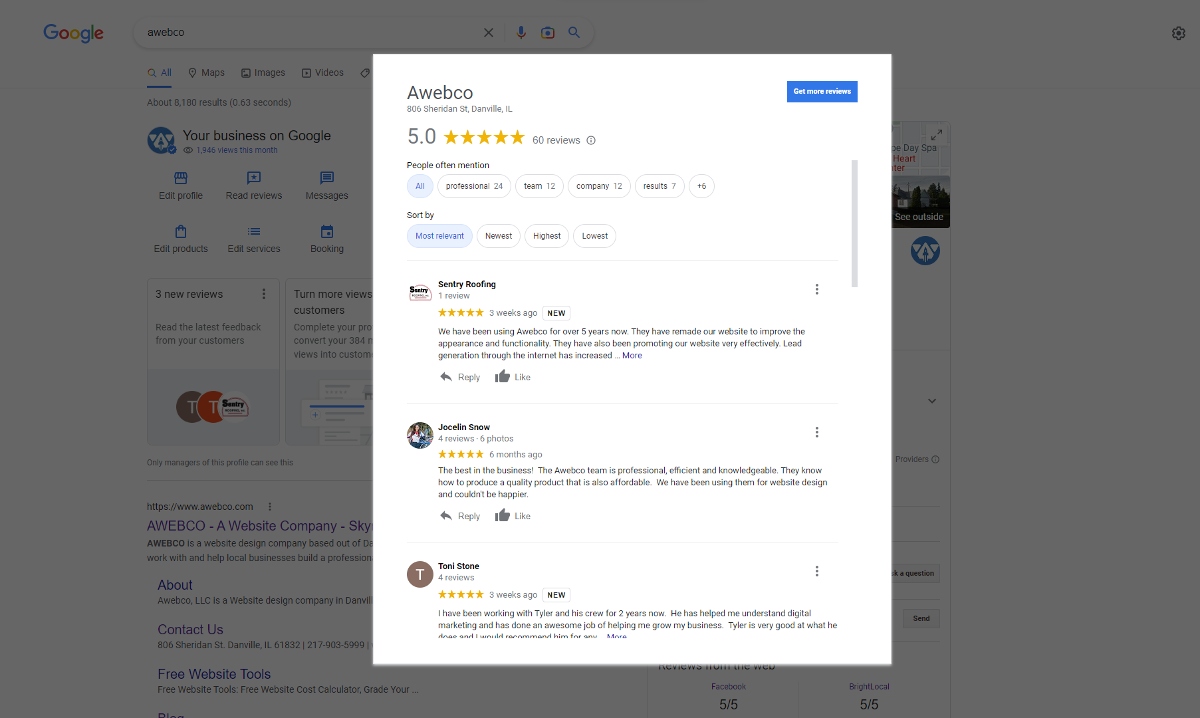
About 73% of consumers trust companies that have online reviews. People use reviews to see if your company offers the solutions they need. You can incentivize real reviews from customers by offering prize drawings for people who review your business.
Another method is to send follow-up emails to your clients. You can thank them for choosing your company and why customer feedback is so important. Afterward, you can give them a direct link to review your company on Google.
To encourage additional reviews, respond to the feedback you get through Google Business.
When other customers see you respond to reviews and engage positively with clients, they will be more likely to leave you a review. Replying to reviews shows you care about customers and are responsive to their needs.
On your website, you can encourage reviews by creating a call-to-action (CTA) and adding a direct link to the review section of your Google Business profile.
Meanwhile, you can create a feedback card for your in-person clients and ask for a review. Sometimes, the only thing you have to do for reviews is to ask for them.
The most important thing is to never buy or solicit fake reviews. Google has become exceptionally smart at picking out fake reviews, and they will penalize anyone who engages in this practice.
Because Google Reviews are so important to customer buying habits, they are a key ranking factor for Google.
In addition to SEO rankings, reviews also show customers what they can expect and can directly lead to sales. If you don’t have a lot of reviews yet, it’s time to start accumulating them.
Need help getting more reviews for your business? Consider letting us create review cards for you to hand to your happy customers to get more 5 star reviews easily and quickly.
Turn on messaging
Another one of the best Google Business tips is to turn on messaging. This feature lets searchers send your phone a text message from your profile.
Because most people are using their mobile devices to handle the search, they are already prepared to text or call your business.
You just have to go to the Messaging tab in your dashboard. Then, you can install the feature using the Apple App Store or Google Play.
Once it is installed, it won’t show your personal phone number because it picks a number from Google’s Allo app.
If you want to check your messages, you have to go to Customer messages in the Google My Business dashboard.
Make sure that if you have messaging enabled, you are able to quickly get back to inquiring searchers.
Turn On Quote Requests
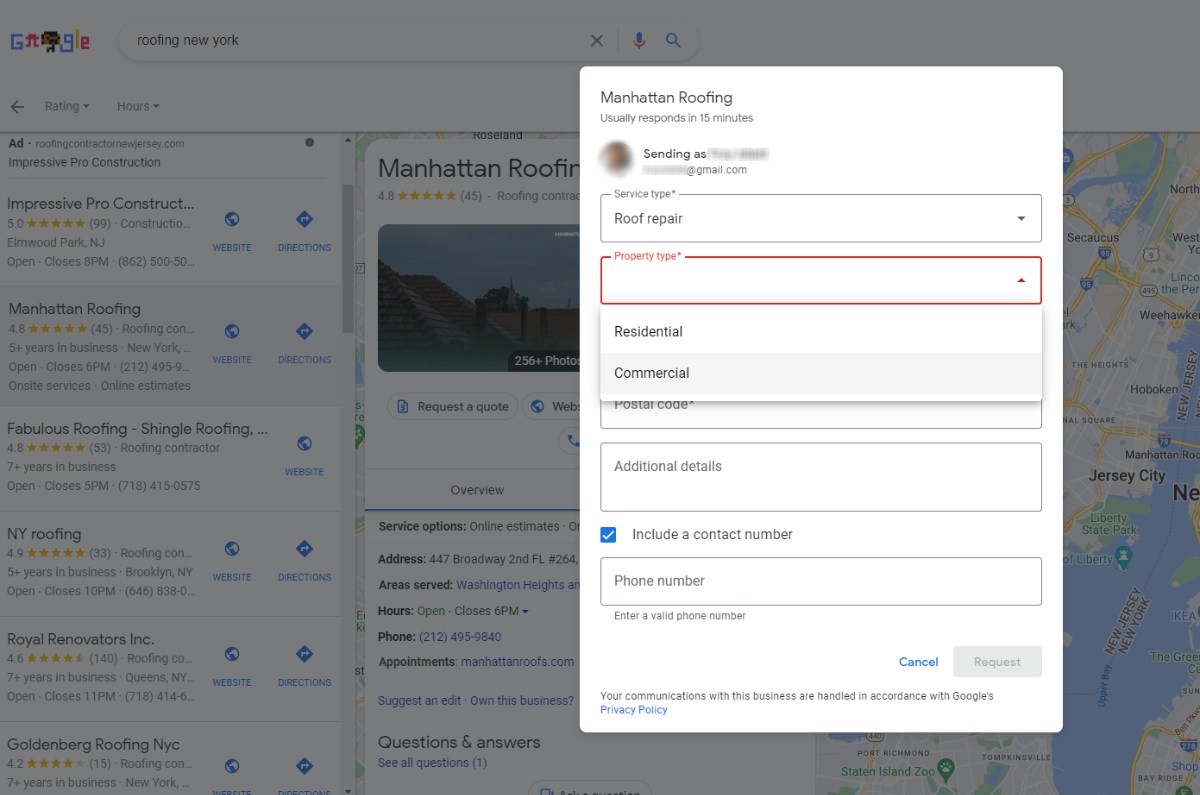
Adding a quote request form to your Google Business Profile can be a great way to increase leads and grow your business.
By providing potential customers with an easy way to get in touch with you, you can open the door to further discussions and establish relationships with new customers.
When customers fill out the form, you’ll receive their contact information and be able to respond to their request with an accurate quote and further information about your services.
This can help you attract more customers and showcase your business in a way that will encourage them to reach out over other businesses that do not have such an easy way to get a quote.
Only certain service-based industries designated by Google will be allowed to use the ‘Quote Requests’ call-to-action form.
Add products to GBP
If you’re working on Google Business optimization for local SEO, you need to spend some time adding products to your Google Business profile.
When you add products and services, it helps to show what your company offers. This is especially important if it is hard to tell what your company does from your business name.
By adding this content, you can get your profile to rank higher for relevant search terms.
You need to include the product name, price, and description. When users click on the product, the entire description will show up.
Add services to GBP
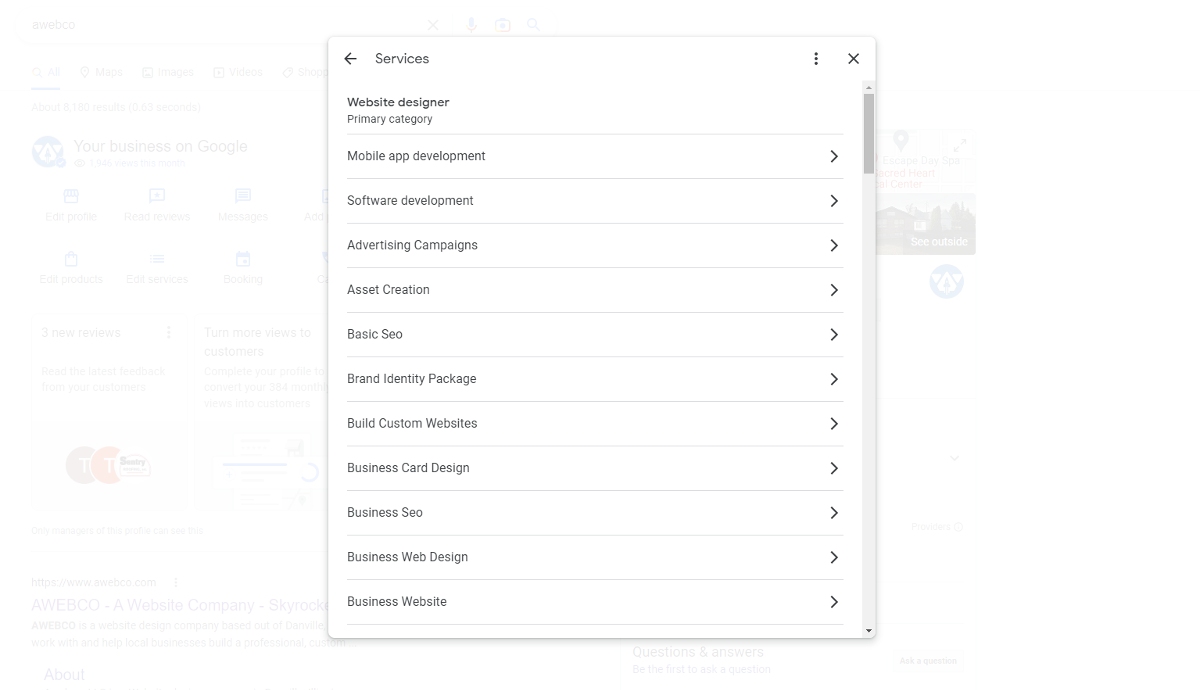
If your business doesn’t make a physical product, you should add the name, price, and description of your services.
Other than helping you rank for the appropriate search term, Google may also decide to link to these services from your company’s category section.
Post updates every 7 days
Some of the rules for Google My Business optimization are similar to typical social media platforms. You should post regular announcements, updates, events, and new products to your Google Business Profile.
These posts can be created through your dashboard. When someone searches for your business, it will appear in the Updates part at the bottom of your Google Business profile.
If the searcher is trying to find a specific search query, the result may appear more prominent.
When you release more posts, it increases the actions consumers can take after they find your profile.
Because consumers are more likely to be intent on buying from a business when they use search engines instead of social media platforms, your posts are more likely to be engaged.
In addition, these posts are a positive ranking signal for Google.
If we are managing your social media accounts, we make sure to also post to your Google Business Profiles as well as Facebook, Instagram, Twitter, LinkedIn, or wherever you market your business socially.
Want us to take care of the hard parts for you? Just reach out to us and let us know what you need!
Ask and answer Q&As
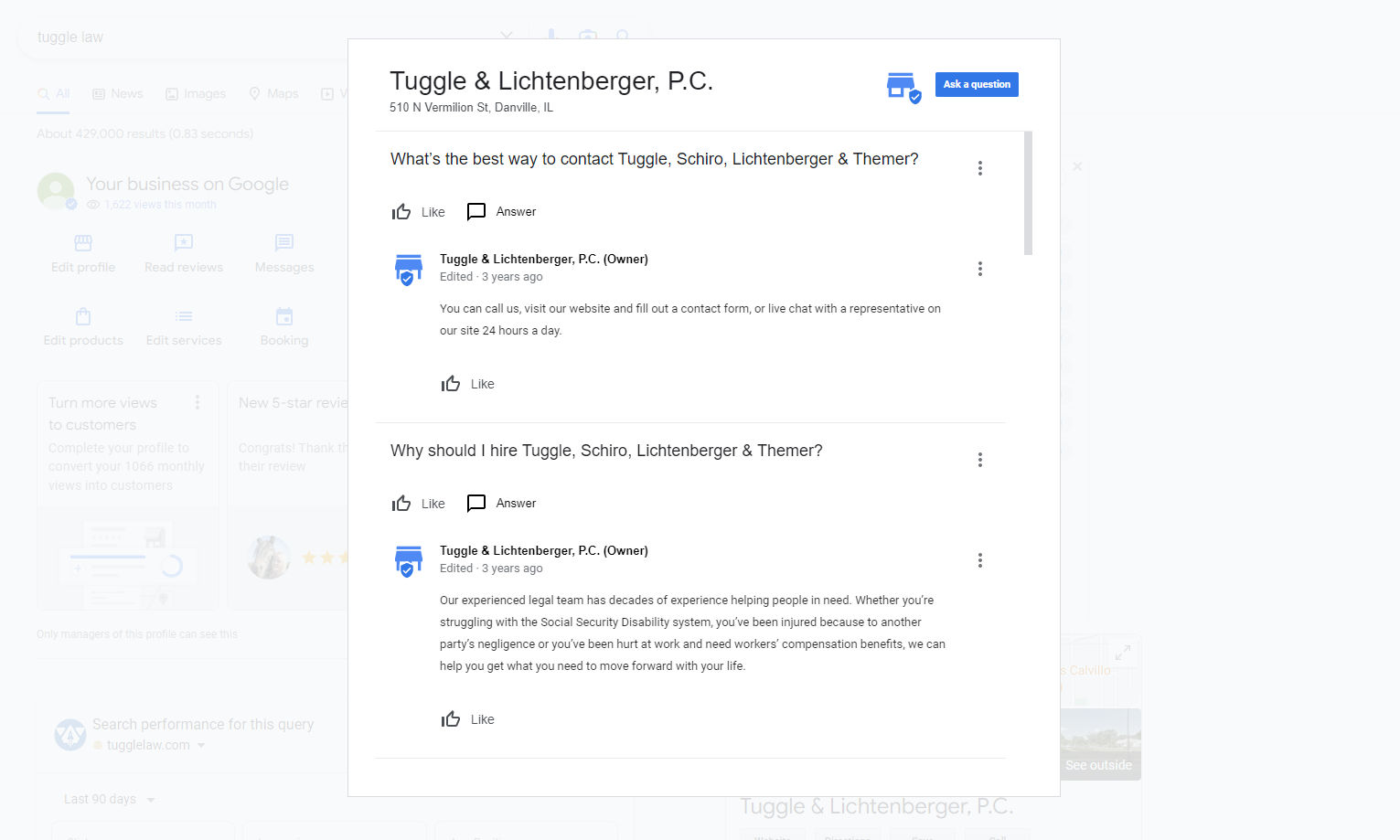
The final tip is to ask and answer Q&As. Anyone can ask and answer these questions, which could be bad for your company if they post outdated or incorrect information.
By making and answering these questions, you can be confident that all the answers are accurate.
Since you can’t turn off the feature, you can set up alerts to find out about new questions. You can also create a list of frequently asked questions as well.
During this profession, you can keep keywords in mind, so your profile can rank for relevant terms.
Hire Help with Your Google Business Account
If you are working on Google Business profile optimization, AWEBCO can help. Our team can manage your profile optimization and get your company included in local listing services.
Not only will we optimize and maintain your Google Business Profile, we can get your business listed across tons of other websites
To get help from a company you can trust, reach out to our team today.